Express your words in the shape of a heart and express what you feel. This free online heart shape text generator tool is easy, fun, and has endless possibilities, whether you are writing a romantic message, creating a special greeting, or doing a typographical experiment!
Just plug in your custom text, select the font style, set the size of the hearts, and change the colors to what feels good for you. Your text will now flow along the heart with just one click, which you can then share or download or Take a Screen Shot to keep as a souvenir.
Ideal for Valentine cards, love notes, art projects, or just a little sprinkling of cuteness onto your words. For connecting the dots, you can use the Dot to dot generator.
So start below and let your words pour from the heart! ❤️. Worrying how to create this heart shape text, check the Guide given below.
Heart Shape Text Generator
Text Instances
Text Settings
The word above will be repeated this many times along the heart path.
Preview
Here are some of the samples of heart shape text generator:
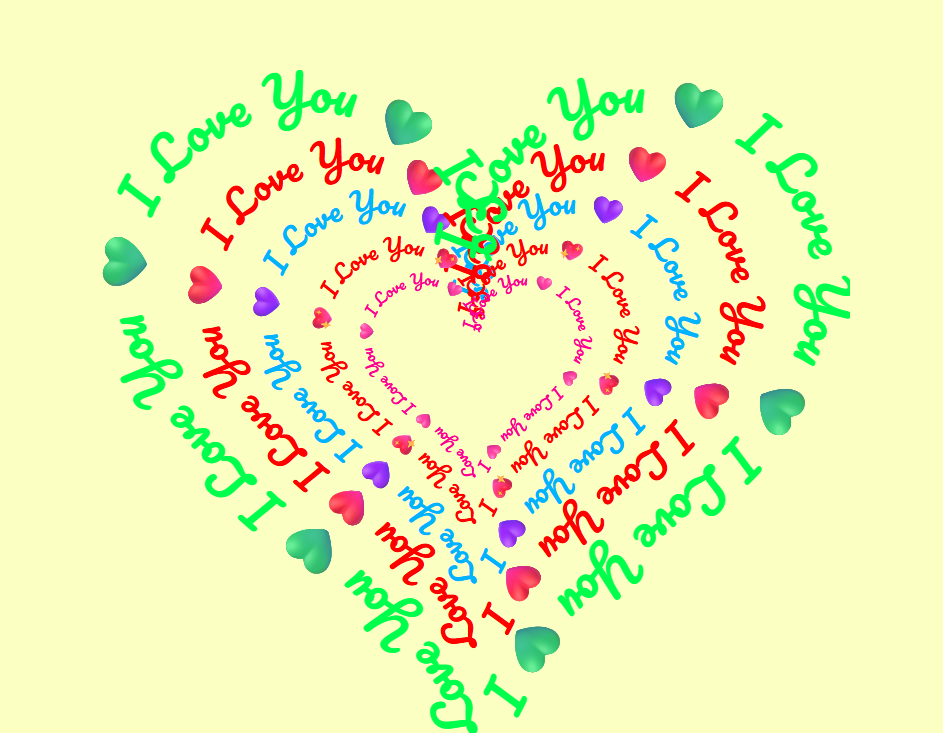
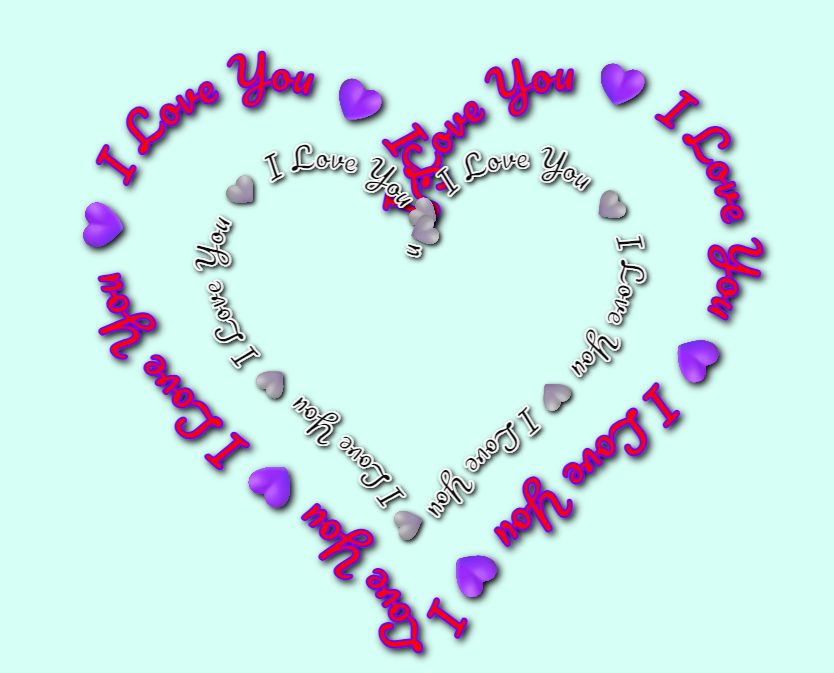
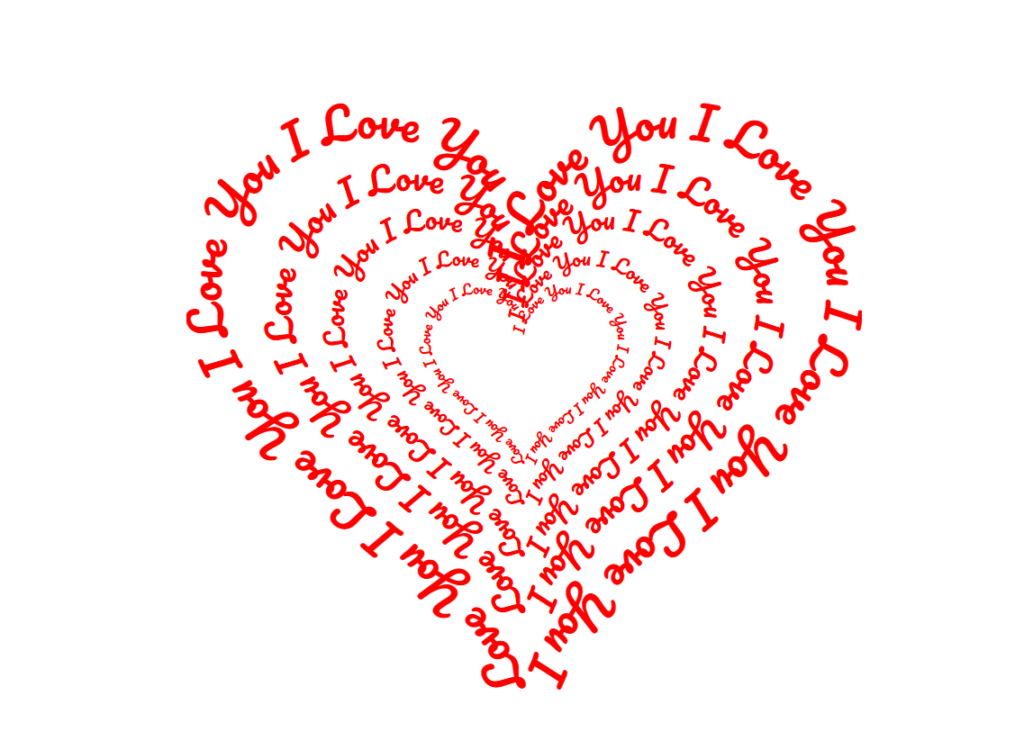
Step-by-Step Guide on How to Use this Text in Heart Shape Generator
1. Open this online Heart Shape Text Generator.
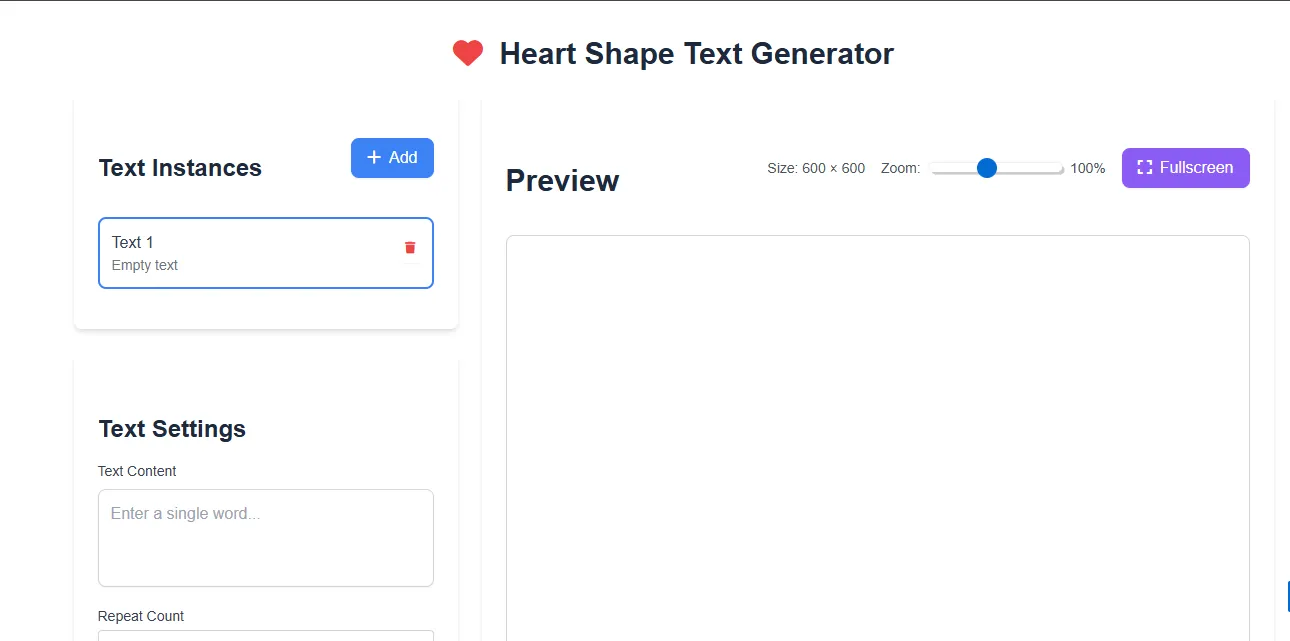
2. Click on the Add button and add multiple Text Instances as per your choice.
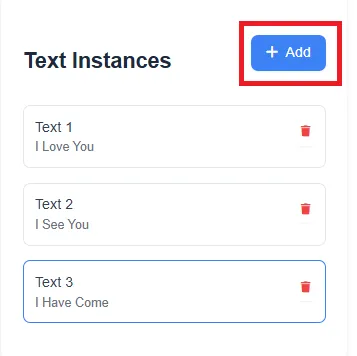
3. Now, write content in the Text Content section and add numbers in the Repeat Count section to repeat the above word several times.
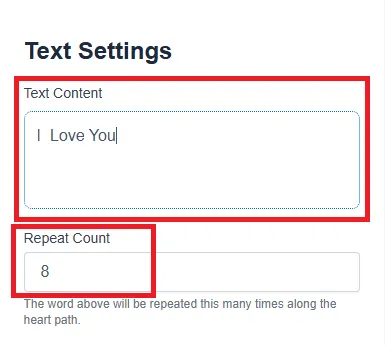
4. Three different options are available on the screen:
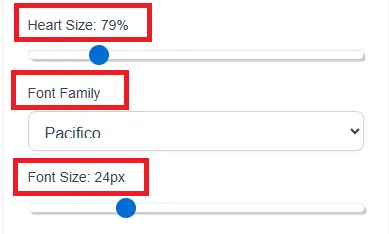
- Heart Size: Using this you can choose the size of the complete structure.
- Font Family: This option allows you to select font for the word mentioned above.
- Font Size: It changes the size of the font as per your requirements.
5. Next, in the Character Spacing section, you can adjust the words by making space between them and also Change the Alignment of text to Right, Middle & Left.
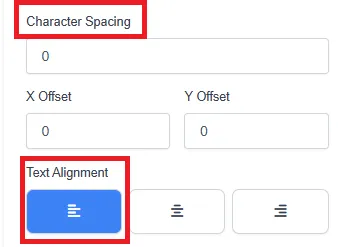
6. Here, again four interesting options are shown:
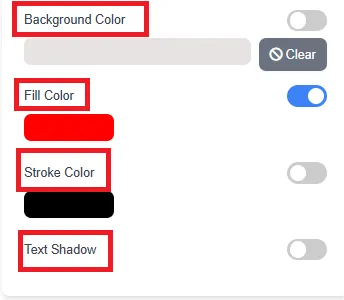
- Background Colour: Using this you can choose different colors for the background area.
- Fill Colour: This allows you to add colour in the word written in text instances.
- Stroke Colour: It helps to highlight or bold the Text.
- Text Shadow: This option creates a shadow of the written text.
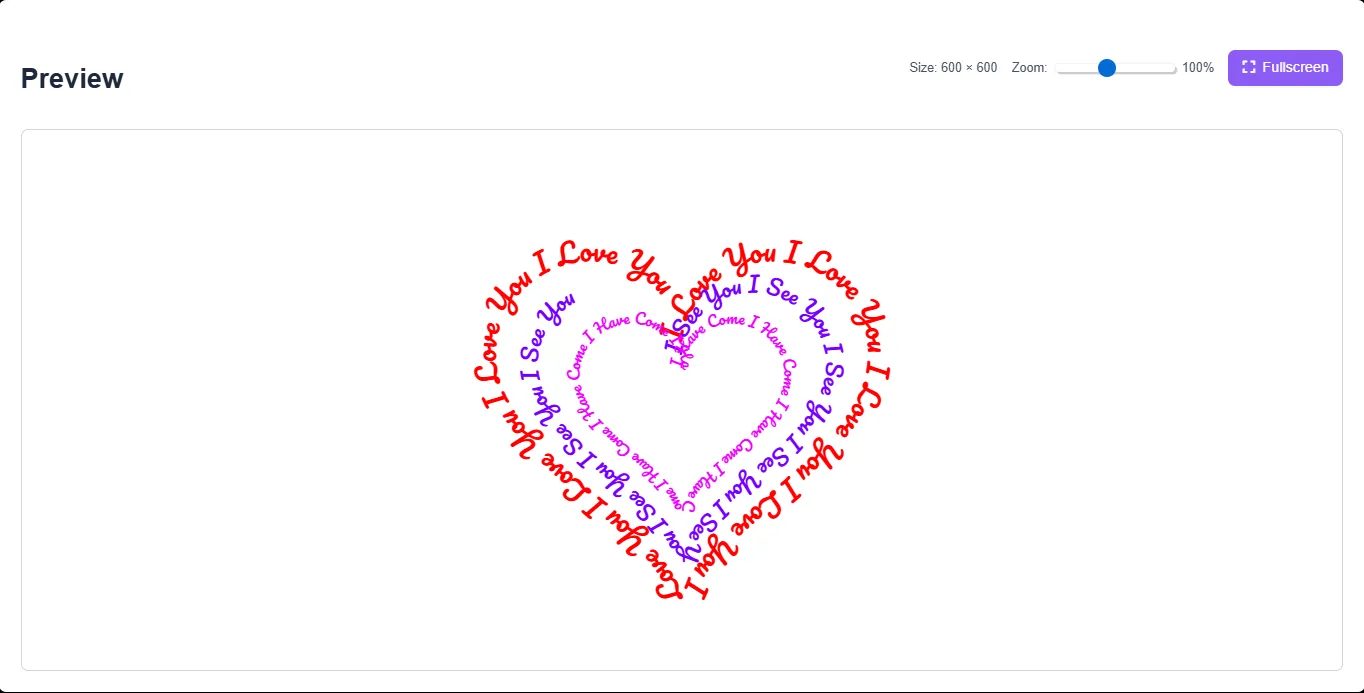
7. All in all, tap on the Full Screen option to view the text clearly.
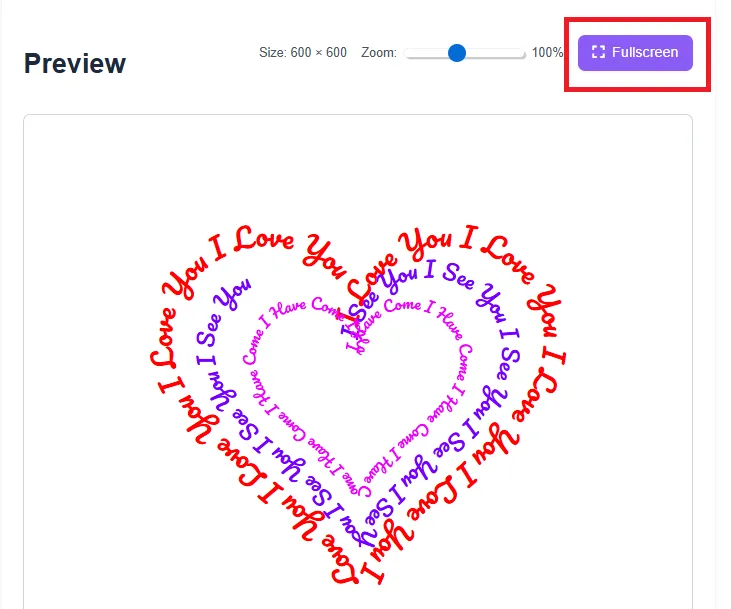
8. Lastly, to view the text on your computer, you need to take a Screenshot of the Generated Heart by you.
Features of Our Tool
Our heart shape text generator is designed to be simple, fast, and user-friendly. Here are the key features that make it stand out:
- Instant Conversion – Generate text art in seconds with no waiting time.
- 100% Free – Enjoy unlimited usage without hidden fees.
- Mobile Friendly – Works smoothly on Android, iOS, tablets, and desktop devices.
- One-Click Copy – Easily copy your generated heart text to your clipboard.
- Multiple Heart Styles – Choose from emoji hearts, ASCII hearts, decorative symbols, and creative layouts.
- Customizable Options – Different fonts, symbols, and spacing options available.
- Unicode Compatible – Works across most apps and platforms.
Our advanced text to heart converter ensures that your message keeps its formatting when pasted onto social media platforms.
Why Use a Heart Shape Text Generator?
In today’s digital world, visual appeal matters more than ever. A simple text message can easily get ignored, but a beautifully designed name in heart shape instantly captures attention. Whether you are expressing love, celebrating a special moment, or simply decorating your profile, heart text art adds personality and creativity.
Using a love text generator also saves time compared to manually designing ASCII art. You don’t need technical skills or design knowledge. The tool automatically arranges symbols to create balanced and visually pleasing heart shapes.
Additionally, heart-shaped text enhances engagement on social media. Creative bios and captions often attract more clicks, likes, and comments.
Best Platforms to Use Heart Text
One of the biggest advantages of our heart shape text generator is compatibility. Here are some popular places where users love to share their designs:
Instagram Bio
Make your profile unique with stylish Instagram heart text. A decorated bio instantly stands out and reflects your personality.
TikTok Captions
Add heart text art to your video captions for a creative touch.
WhatsApp Status
Share romantic messages or friendship quotes using copy and paste heart symbols that work perfectly on WhatsApp.
Facebook Posts
Decorate your timeline with creative love symbol text art to celebrate anniversaries or birthdays.
Gaming Usernames
Use a name in heart shape for games like:
- Free Fire
- PUBG
- Roblox
Stylish usernames often grab attention in gaming communities.
Special Occasions
Heart text is perfect for:
- Valentine’s Day 💖
- Anniversaries 💍
- Birthdays 🎂
- Proposals 💌
- Friendship Day 🤝
By using our emoji heart generator, you can personalize your messages for every occasion.
Types of Heart Text Styles You Can Create
Our tool supports multiple creative variations, including:
1. ASCII Heart Art
Classic text-based heart patterns made using characters like *, ., and <3.
2. Unicode Heart Symbols
Decorative heart shapes created with special Unicode characters for better compatibility.
3. Emoji Heart Designs
Colorful heart emojis arranged in patterns to form larger heart shapes.
4. Minimalist Heart Text
Clean and simple designs ideal for professional bios.
This variety ensures that our heart shape text generator fits every mood and platform requirement.
Frequently Asked Questions (FAQ)
Q1: Is this heart text generator free?
Yes, our heart shape text generator is 100% free. You can generate unlimited heart text designs without paying anything.
Q2: Will the heart text work on WhatsApp?
Yes. The generated text uses Unicode symbols that are compatible with WhatsApp and most messaging apps.
Q3: Can I use this for my Instagram Bio?
Absolutely! Many users create Instagram heart text for stylish bios and captions.
Q4: Does it work on mobile devices?
Yes. The tool is fully optimized for Android, iOS, and desktop browsers.
Q5: Can I create a name in heart shape?
Yes. Simply enter any name, and our name in heart shape feature will generate a beautiful heart layout instantly.
Tips to Create the Best Heart Text
To make the most of our emoji heart generator, consider these tips:
- Keep your message short for better alignment.
- Test different heart styles for the best visual impact.
- Use colored emoji hearts for festive occasions.
- Preview your text before posting to ensure proper spacing.
Final Thoughts
Our Heart Shape Text Generator is the perfect solution for anyone looking to create stylish and romantic text art online. Whether you need copy and paste heart symbols for social media, want a decorative name in heart shape, or simply wish to express love creatively, this tool delivers instant results.
With its fast processing, mobile compatibility, and multiple heart styles, it stands out as a powerful text to heart converter and love text generator. Try it today and turn your simple words into beautiful heart-shaped designs that capture attention everywhere you post. 💖
Keep working ,impressive job!